The Best Way to Avoid Spam Emails: A Practical Guide
Bottom Line
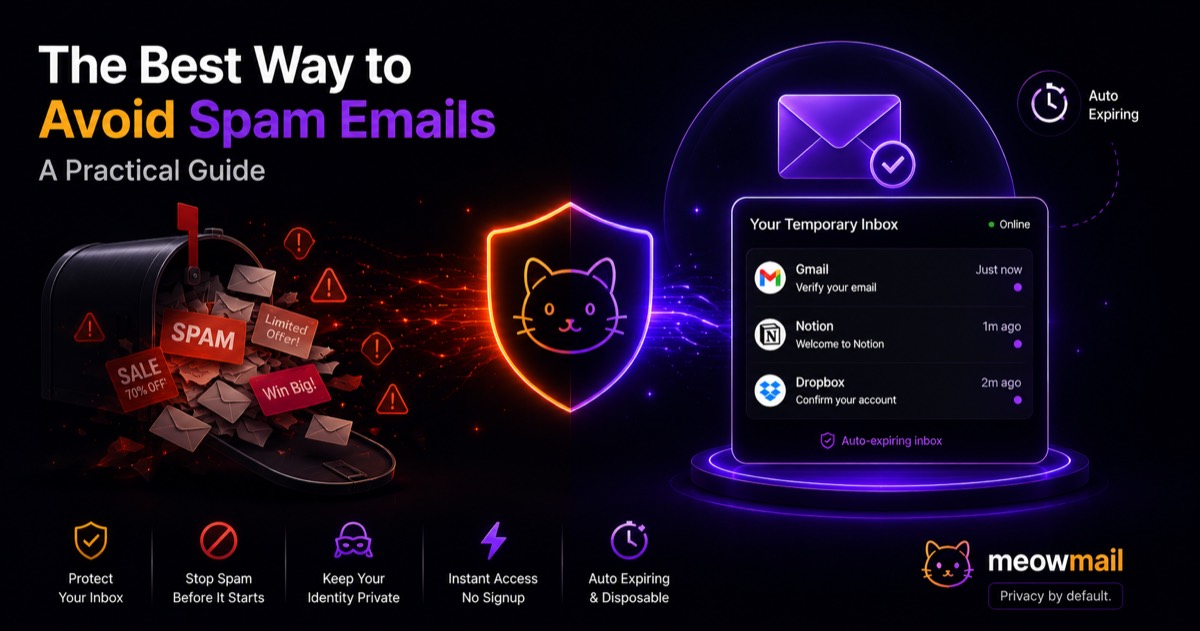
The best way to avoid spam emails is to stop giving out your primary email address entirely. Use a disposable, temporary inbox for signups, free trials, and one-time downloads. This creates a hard barrier between internet marketers and your personal inbox, keeping your real address completely hidden and spam-free.
Key Takeaways
- Keep your primary inbox clean by using temporary email addresses for all casual signups.
- Clicking "unsubscribe" often validates your address and triggers even more spam.
- Data brokers harvest and sell your email every time you create a new free account.
- Temporary inboxes require zero registration and auto-expire, leaving no trace behind.
Nearly 45.6% of all email traffic worldwide is spam, according to recent data from Kaspersky. You wake up, check your phone, and delete a dozen promotional messages before you even get out of bed. Your primary inbox feels like a public bulletin board.

Every time you hand over your email address for a 10% discount code, a free ebook, or a quick Wi-Fi login, you invite chaos. Companies do not keep your data secret. They sell it, share it with marketing partners, or lose it in data breaches.
You need a defense mechanism. Finding the best way to avoid spam emails means changing how you interact with the internet. You have to stop treating your personal email address like a public ID card.
Protecting your privacy requires a proactive approach. You cannot rely on spam filters to clean up the mess after the fact. You must stop the junk at the source.
What is the best way to avoid spam emails right now?
The absolute best way to avoid spam emails is to use a temporary, disposable email address for online registrations. Instead of sharing your real contact details, you generate a fake, auto-expiring inbox. The service sends the confirmation link, you click it, and the inbox vanishes along with the spam.
How disposable emails shield your real identity
Your primary email address is tied to your identity. It connects your bank accounts, your social media, and your personal communications. Exposing it to random websites is a massive privacy risk.

Disposable emails act as a firewall. When a website demands an email address to view an article or download a file, you open a new tab and generate a temporary address. You paste that temporary address into the signup form. The website sends its verification email, which arrives in real-time to your temporary inbox. You get what you need, and the website gets a dead end.
This method requires zero setup. You do not need to create an account or remember a password. Using temporary email without registration keeps your actual inbox pristine. Marketers can send a thousand follow-up emails to that temporary address, but you will never see them.
Why unsubscribing often fails
Many people think clicking "unsubscribe" is the right way to handle unwanted emails. This is a dangerous misconception.
When you click an unsubscribe link from a shady sender, you confirm two things. First, you confirm the email address is active. Second, you confirm a real human is reading the messages. Spammers pay a premium for verified, active email addresses. By trying to opt out, you actually make your address more valuable on the dark web.
Legitimate companies honor unsubscribe requests. Malicious actors use them as verification tools. You cannot tell the difference just by looking at the email.
Stop clicking those links. The best way to avoid spam emails is to ensure these senders never get a working address in the first place.
How do data brokers get your primary email address?
Data brokers acquire your email address through hidden terms of service agreements, public data scraping, and purchased lead lists. When you sign up for a free service, you pay with your personal information. Brokers compile this data into massive profiles and sell it to the highest bidder.
The hidden cost of "free" signups
Nothing on the internet is truly free. If you do not pay for a product, you are the product.
Consider the typical software trial or digital download. The company asks for your email address to "send you the link." Buried in the terms and conditions is a clause allowing them to share your data with third-party affiliates. You check the box, get your download, and unwittingly join a dozen marketing lists.
These companies aggregate your data. They cross-reference your email address with your browsing habits, your location, and your purchase history. They build a profile and sell it to advertising networks. This is why signing up for one fitness app suddenly results in spam emails about diet pills, workout gear, and gym memberships.
Data breaches leak your inbox details
Even if you only share your email with reputable companies, your inbox is still at risk. Data breaches happen constantly.
Security researcher Troy Hunt manages Have I Been Pwned, a database tracking compromised accounts. Billions of email addresses sit in this database right now. Hackers breach a major retailer, steal the customer list, and dump the email addresses on hacker forums.
Once your email address leaks in a breach, it circulates forever. Spammers download these lists and load them into automated emailing software. You start receiving phishing attempts and junk mail from companies you have never heard of.
You cannot prevent companies from getting hacked. You can only limit the damage by giving them an email address that does not matter.
Email scraping bots and public profiles
Spammers do not just buy lists. They steal addresses directly from the web.
Automated software bots crawl the internet 24/7 looking for the "@" symbol. They scrape email addresses from Twitter bios, GitHub repositories, company "About Us" pages, and personal portfolios. If your email address exists in plain text anywhere on the internet, a bot will find it.
Never post your real email address publicly. If you need to provide a public contact method, use a temporary alias that you can delete when the spam becomes overwhelming.
Why aren't standard spam filters enough anymore?
Standard spam filters fail because modern marketers use sophisticated sender domains and authentication protocols to bypass them. Gmail and Outlook look for malicious code, but they let legally compliant promotional blasts through. Filters catch the obvious scams, but they cannot block the aggressive marketing you technically agreed to receive.
Marketers buy their way into primary tabs
Email marketing is a massive industry. Companies spend millions of dollars figuring out how to bypass your spam folder.
They use domain warmup services to build a positive sender reputation. They hire copywriters to avoid trigger words like "free" or "act now." They format their massive commercial blasts to look like personal, one-on-one messages.
Your email provider looks at these messages and sees a legitimate sender. The email passes all technical authentication checks. It lands right in your primary inbox, demanding your attention.
Spam filters are designed to stop viruses and Nigerian prince scams. They are not designed to stop a relentless barrage of newsletters, discount codes, and product updates.
The rise of sophisticated phishing
Modern spam is not just annoying. It is dangerous.
Phishing attacks look exactly like legitimate notifications from services you use. Spammers copy the HTML templates of popular banks, streaming services, and software platforms. They send fake alerts claiming your account is locked or your payment failed.
If you use your real email address for everything, these phishing attempts blend in with your actual notifications. You might accidentally click a malicious link because you were expecting an email from that company.
When you use a temporary email for casual signups, you eliminate this confusion. If you get a "Netflix billing error" sent to a temporary address you only used to download a PDF, you instantly know it is a scam.
Filter fatigue and false positives
Relying entirely on spam filters creates another problem: false positives.
When you train your email provider to block aggressive marketing, the algorithm sometimes gets confused. It starts sending important emails to the spam folder. You miss a message from your doctor, an update from your child's school, or a password reset link because the filter was too aggressive.
You have to constantly check your spam folder just in case something important got caught. This defeats the entire purpose of the filter. You are still looking at the spam.
The best way to avoid spam emails without missing important messages is to keep the junk out of your account entirely.
When should you use a temporary inbox instead of your real one?
You should use a temporary inbox whenever a website demands an email address for a one-time transaction. If you do not need a long-term relationship with the company, do not use your real email. This includes accessing public Wi-Fi, downloading a PDF, or testing a new web app.
Downloading lead magnets and free trials
Marketers love lead magnets. They offer a free checklist, a webinar recording, or an industry report in exchange for your contact information.
You only want the document. You do not want a five-part automated email sequence pitching a $1,000 consulting package.
Generate a temporary inbox. Paste the address into the form. The website sends the PDF to your temporary inbox. You download the file and close the tab. The marketer gets a useless email address, and you get your document without the subsequent spam.
One-time purchases and local Wi-Fi logins
Airports, hotels, and coffee shops frequently require an email address to access their free Wi-Fi. They use this data to track your movements and send you promotional offers for years.
You just want to check your flight status. You do not need a monthly newsletter from a coffee shop three states away.
Keep a temporary email service bookmarked on your phone. Generate an address, paste it into the captive portal, and get online.
The same rule applies to one-time e-commerce purchases. If you are buying a cheap phone case from a random online store, use a temporary address. You will get the shipping confirmation, but you will avoid the endless stream of "we miss you" coupons.
Testing new software securely
Developers, designers, and product managers frequently need to test web applications. You might want to see how a competitor handles their onboarding flow. You might need to create multiple test accounts for your own software.
Using your real email address for this clutters your inbox with automated onboarding messages. Creating traditional dummy Gmail accounts takes too long and requires phone verification.
A temporary inbox provides instant access. You can generate dozens of addresses in minutes. If you do this frequently, using temp mail for software testing speeds up your workflow while keeping your primary inbox strictly for real communication.
How do you set up a spam-free workflow?
Setting up a spam-free workflow requires splitting your digital life into two distinct lanes. You reserve your real email address strictly for banking, medical records, and close contacts. You route every other casual internet interaction through an on-demand, temporary inbox that requires zero registration.
The two-tier email strategy
You need strict rules for when to use your real address and when to use a fake one. Treat your primary email address like your Social Security number. Guard it heavily.
Here is how you should categorize your internet usage:
| Account Type | Which Email to Use | Why |
|---|---|---|
| Banking & Finance | Primary Email | High security, permanent access required. |
| Government & Medical | Primary Email | Sensitive data, legal notices. |
| Close Friends & Family | Primary Email | Personal communication. |
| Newsletters & Blogs | Temporary Alias | High volume, frequent selling of data. |
| Public Wi-Fi | Temporary Inbox | One-time use, heavy tracking. |
| Free Trials & Downloads | Temporary Inbox | Aggressive marketing follow-ups. |
If an account does not hold your money or your medical history, it probably does not need your real email address.
Automating your privacy with MeowMail
Implementing this strategy is easy with the right tools. You do not need to configure complex mail servers or manage dozens of passwords.
MeowMail provides instant, privacy-first temporary email inboxes. There is absolutely no tracking, no logging, and no signup required. You visit the site, and your temporary address is ready immediately.
Emails arrive in real-time. You do not have to refresh the page constantly waiting for a confirmation link. The emails auto-expire, meaning you leave no digital footprint behind.
If you do not want a random string of characters, MeowMail lets you create custom temporary email aliases. You can name the inbox after the service you are signing up for, making it easy to track who sold your data. The service also saves your inbox history locally on your device, allowing you easy return access if you need to check a secondary confirmation link an hour later.
By making MeowMail part of your daily browsing habits, you cut off the spam supply line permanently.
FAQ
Q: Can I reply to emails using a disposable address? Most temporary email services, including MeowMail, are receive-only. This prevents spammers from abusing the platform to send outbound junk mail. You can receive confirmation links and read incoming messages, but you cannot reply.
Q: How long do temporary emails last before expiring? Temporary emails usually auto-expire after a set period, often between a few hours to a few days depending on the service. MeowMail automatically clears messages to ensure your privacy, leaving no permanent record on any server.
Q: Do temporary email services track my IP address? Many free services secretly log your IP address and sell your browsing data. You must choose a privacy-first provider. MeowMail operates with a strict no-logs and no-tracking policy, ensuring your identity remains completely hidden.
Q: Is using a fake email address legal? Yes. Using a temporary or alias email address to protect your privacy is entirely legal. It is simply a routing tool, much like using a P.O. Box instead of giving out your home address.
Stop handing out your personal contact information to every website that asks for it. Bookmark a temporary email service right now and use it the next time a website demands an email address for a free download.
Try MeowMail free
Generate a private, disposable inbox in one click. No signup, no tracking.
Get a temporary inbox