Why You Need a Privacy-First Temporary Email
Bottom Line
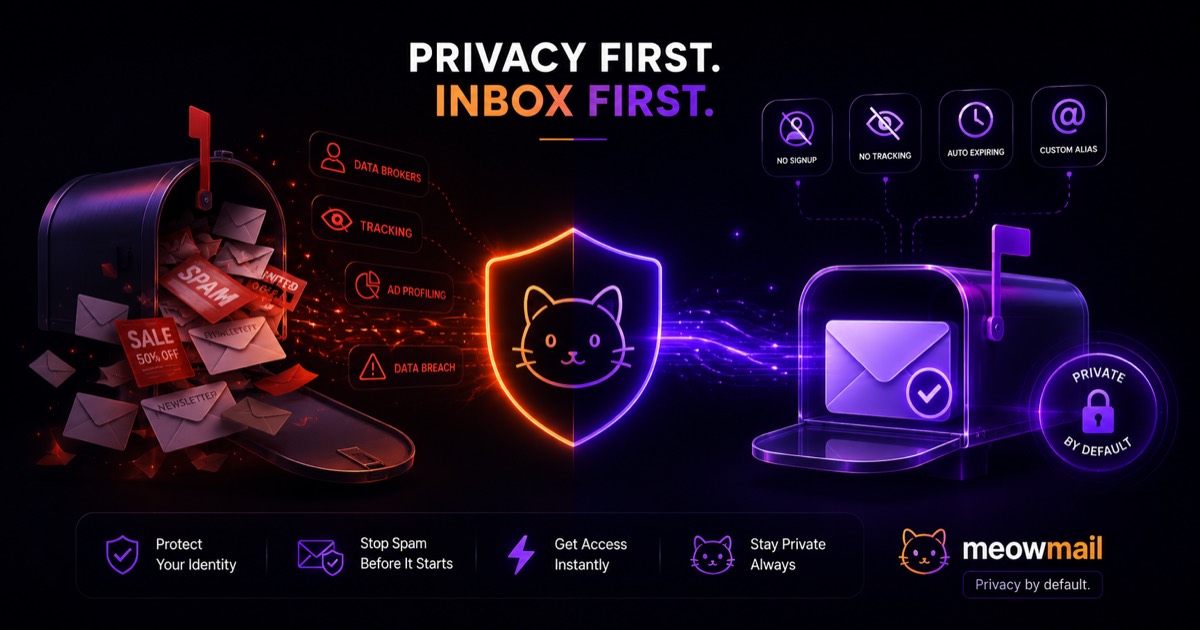
A privacy first temporary email gives you instant access to a disposable inbox without requiring any personal details, signups, or tracking. It intercepts verification codes and gated content while keeping your primary inbox free from spam and protecting your identity from data brokers.
Key Takeaways
- Standard email providers scan your messages to build monetizable advertising profiles.
- True temporary inboxes require zero account creation to function.
- Auto-expiring emails ensure your temporary data never sits on a vulnerable server.
- Custom inbox aliases let you organize temporary signups without sacrificing anonymity.
- Local browser storage can save your inbox history without relying on centralized accounts.
Nearly 45% of all emails sent globally in 2023 were spam, according to data from Statista. Every time you hand over your primary email address for a quick discount code or software trial, you invite that noise into your daily life. Your email address acts as a digital passport across the web. Companies use it to track your behavior across different platforms, linking your purchases, subscriptions, and browsing habits into a single profile. A privacy first temporary email severs this connection completely. It gives you a functional address that exists just long enough to serve its purpose and then vanishes. You get the access you want without paying the hidden tax of your personal data. You keep your primary inbox clean, organized, and secure.

Standard Inboxes Act as Permanent Data Traps
Standard email providers offer free services because they monetize your inbox contents and metadata. They log sender details, track read receipts, and scan message contents to build advertising profiles, turning your daily communication into a permanent, searchable database for marketers.
The Hidden Cost of Free Email
Major tech companies do not provide gigabytes of free server space out of goodwill. They operate massive data collection networks that rely on your daily communications. When you use a standard consumer email provider, algorithms continuously scan your incoming messages. They look for purchase receipts, travel itineraries, and newsletter subscriptions. This scanning process extracts keywords to categorize your interests and habits. The provider then feeds this categorized data into their advertising platforms to serve you targeted ads. You pay for your free inbox by surrendering your digital privacy.

This surveillance extends beyond the text of your messages. Providers track the metadata associated with your account. They record exactly when you open an email, what device you use, and the IP address connected to your session. This metadata often reveals more about your daily routine than the actual contents of your inbox. A sudden influx of emails from mortgage lenders tells the provider you might be buying a house. A string of receipts from baby clothing stores signals a new child. Providers compile these life events into a profile attached permanently to your primary email address.
How Signups Fuel Data Brokers
Your email address serves as the ultimate unique identifier for data brokers. When you register for a new website, the company often shares your email address with third-party marketing networks. They rarely share the plain text address. Instead, they run your email through a cryptographic function to create a unique string of characters called a hash. Data brokers collect these hashes from thousands of different websites. They match the hashes together to build a comprehensive map of your online activity.
This hashing process allows companies to track you even if you use different usernames on different sites. If you use the same primary email address to buy shoes, read the news, and book flights, data brokers connect those three distinct activities. They build a shadow profile of your behavior without ever knowing your actual name. They then sell this profile to advertisers, insurance companies, and political campaigns. You lose control of your digital identity the moment you type your real email address into a registration form.
The Inevitable Risk of Data Breaches
Permanent email addresses inevitably end up in compromised databases. Hackers target websites daily to steal user credentials and personal information. When a breach occurs, your email address is dumped onto the dark web alongside your passwords, purchase history, or physical address. Security researchers track these breaches, and platforms like HaveIBeenPwned show just how common this problem has become. A single compromised website can expose your primary email address to thousands of malicious actors.
Once your email address leaks, the spam and phishing attempts multiply. Attackers use automated scripts to test your leaked email and password combinations across hundreds of other websites. They send highly targeted phishing emails designed to trick you into revealing more sensitive information. Because you use your primary email for important accounts like banking and healthcare, these attacks carry severe risks. A disposable address limits this exposure. If a website gets breached, the hackers only steal a meaningless string of characters that no longer accepts incoming mail.
A Privacy First Temporary Email Breaks the Tracking Chain
A privacy first temporary email isolates your digital activity by providing a disposable endpoint for incoming mail. Because these services require no registration and delete messages automatically, they prevent companies from linking temporary transactions back to your real identity.
Zero Signups Mean Zero Identity Links
True privacy tools do not ask for your personal information. Many online services claim to protect your data while simultaneously demanding your real email address to create an account. This contradictory requirement defeats the entire purpose of anonymity. A genuine disposable email service operates without any user registration. You simply visit the website, and the system generates a functional inbox immediately. You do not provide a name, a backup email, or a phone number.
This zero-signup model breaks the fundamental link between your identity and your online activity. When you use a randomly generated inbox to download a whitepaper, the marketing company has nowhere to send their follow-up spam. They cannot hash the address to track you across the web because the address has no history and no future. You become a digital ghost. The service provides exactly what you need—a place to receive a verification link—without demanding anything in return.
Auto-Expiring Messages Leave No Trace
Permanent storage creates permanent risk. Standard email providers keep your messages on their servers indefinitely, waiting for a subpoena or a security breach to expose them. A privacy first temporary email takes the opposite approach. The service holds messages only for a short, predefined period before deleting them permanently. Once the timer runs out, the server wipes the data completely. No backups exist. No archives remain.
This auto-expiring architecture protects you from long-term exposure. You read the verification code, click the confirmation link, and move on. The temporary inbox does its job and then destroys the evidence. This approach ensures that even if the temporary email provider suffers a server compromise, the attackers find nothing of value. The data simply does not exist anymore. You gain peace of mind knowing your digital footprint disappears automatically.
| Feature | Standard Email | Privacy First Temporary Email |
|---|---|---|
| Account Creation | Requires personal details | Zero signup required |
| Storage Limits | Permanent cloud storage | Auto-expiring messages |
| Data Tracking | Scans content for ads | Strict no-logs policy |
| Primary Use Case | Long-term communication | Quick signups and verifications |
| Spam Protection | Relies on junk filters | Address is abandoned entirely |
The Mechanics of True No-Log Temporary Inboxes
True no-log email services operate entirely in memory or with aggressive deletion protocols. They route incoming messages directly to your browser session in real time, storing minimal data on servers and keeping your inbox history saved only locally on your device.
Real-Time Delivery Without Permanent Storage
The technical infrastructure behind a disposable inbox differs entirely from a standard mail server. When an external server sends a message to a temporary address, the receiving system processes it in real time. The mail transfer agent accepts the incoming connection, parses the email headers, and immediately pushes the message content to your active browser session. The system does not write the message to a permanent database. It holds the data in volatile memory just long enough to display it on your screen.
This real-time delivery mechanism ensures a strict no-logs environment. Because the server does not rely on traditional database storage, it cannot build long-term records of incoming mail. The system simply acts as a temporary relay between the sender and your web browser. You see the email arrive instantly, without needing to refresh the page. This speed makes temporary inboxes perfect for catching time-sensitive verification codes or login links.
Local Browser History Replaces Server Logs
You might wonder how you can return to a temporary inbox if the service requires no account and keeps no logs. The answer lies in your web browser. Modern disposable email tools use local storage to remember your active sessions. When you generate a new inbox, the service saves a secure token directly in your browser. This token allows you to access that specific inbox again if you accidentally close the tab or need to check for a delayed message.
This local storage approach keeps the control entirely in your hands. The server does not know who you are or which inboxes belong to you. Only your specific device holds the keys to access the temporary address. If you clear your browser cache or use an incognito window, the connection breaks permanently. You get the convenience of a returning user without the privacy trade-offs of a centralized account system.
Custom Aliases Add Control
Sometimes a string of random characters looks too suspicious. Many websites employ aggressive filters that block registrations from obvious temporary email domains or highly randomized addresses. To bypass these filters, you need the ability to create custom inbox names. A premium privacy tool allows you to type in a specific alias, creating an address that looks like a standard user account. You might choose a combination of common words or a format that mimics a corporate email structure.
Custom aliases also help you organize your temporary signups. If you are testing a new software platform, you can create specific inboxes for different user roles. You might create one alias for the admin account and another for a guest user. This organization makes it easy to track which verification email belongs to which test account. You maintain the privacy benefits of a disposable address while gaining the organizational control of a traditional inbox.
Real-World Scenarios Demand Disposable Addresses
You encounter situations daily that require an email address but do not justify exposing your personal inbox. From testing new web applications to downloading gated reports and dodging aggressive retail marketing, disposable addresses handle the verification step while protecting your privacy.
Testing Apps and Services
Software developers and quality assurance teams rely heavily on temporary emails. When you build a new web application, you must test the user registration flow repeatedly. You need to verify that the system sends confirmation emails correctly, handles password resets, and processes account deletion requests. Using your personal email address for this testing creates a massive headache. You quickly run out of email aliases, and your primary inbox fills up with hundreds of automated test messages.
A privacy first temporary email solves this workflow problem instantly. You can generate a new inbox with a single click, run your test, and abandon the address. The real-time delivery ensures you do not waste time waiting for test emails to arrive. You can keep multiple temporary inboxes open in different browser tabs to simulate interactions between different user accounts. This tool streamlines the development process while keeping test data entirely separate from your actual communications.
Downloading Gated Content
Marketing teams love gated content. They hide valuable research reports, industry whitepapers, and software templates behind mandatory email capture forms. They know you want the information, and they use it as bait to force you into their sales funnel. The moment you enter your real email address to download a PDF, you trigger an automated sequence of marketing emails. Sales representatives will follow up for weeks, clogging your inbox with persistent requests for a meeting.
You can bypass this entire cycle by using a disposable address. You generate a temporary inbox, paste the address into the download form, and wait for the file to arrive. You click the download link, save your PDF, and close the tab. The marketing software logs the temporary address and begins sending its automated sequence into a black hole. You get the valuable content you needed, and your primary inbox remains completely untouched by the sales team.
Avoiding Retail Spam
E-commerce websites aggressively push you to create accounts. They offer instant discount codes, free shipping, or exclusive access to sales events in exchange for your email address. While saving money appeals to everyone, the resulting flood of promotional emails rarely justifies the initial discount. Retailers sell your purchase history and email address to affiliate networks, ensuring you receive targeted ads for products you just bought.
A temporary inbox lets you claim the discount without the long-term annoyance. You provide the disposable address at checkout, receive your coupon code or order confirmation, and complete your purchase. If you need to track shipping, you can keep the temporary inbox open or rely on the tracking number provided on the confirmation page. The retailer gets their sale, you get your discount, and your personal inbox stays free from daily promotional blasts.
Not All Temp Mail Services Protect Your Data
Many temporary email providers run aggressive tracking scripts and log your IP address to sell data to third parties. A genuine privacy first temporary email strips out tracking pixels, refuses to log user activity, and operates with transparent data practices.
Beware of Hidden Trackers
The internet is full of temporary email websites, but most of them fail the basic test of privacy. Many of these free services operate as data harvesting operations in disguise. They embed third-party advertising scripts and analytics trackers directly into their web pages. When you visit these sites, companies like Google and Meta log your IP address and browser fingerprint. They track exactly which temporary email service you use and attempt to link that activity back to your primary digital profile.
Worse still, some of these services log the contents of the emails you receive. If you use a malicious temporary inbox to receive a password reset link, the service operator could theoretically intercept that link and compromise your account. You must choose a provider that explicitly outlines a strict no-logs policy. A trustworthy service strips external tracking pixels from incoming emails, ensuring the original sender cannot see if or when you opened the message.
The Creator's Mission Behind the Tool
The landscape of disposable email tools is cluttered with bloated, ad-heavy websites that prioritize revenue over user experience. This frustration led to the creation of better alternatives. Developers like Jay Thorat (known as maski.dev) recognized the hypocrisy of privacy tools that track their users. They saw a need for a streamlined, lightweight service that actually respected user data. This mission drives the development of platforms like MeowMail, which focus entirely on speed and anonymity.
Building a true privacy tool requires specific technical choices. It means rejecting lucrative advertising networks that demand user tracking. It means designing server architecture that automatically purges data rather than hoarding it. When a developer prioritizes the user's right to digital anonymity, the resulting product looks and feels different. It loads faster, operates without intrusive pop-ups, and delivers exactly what it promises: a temporary, secure endpoint for your online interactions.
FAQ
Q: What is a temporary email? A temporary email is a disposable inbox generated instantly without any registration or personal details. It allows you to receive messages, verification codes, or gated content for a short period before the address and its contents automatically expire.
Q: How long do disposable emails last? The lifespan depends on the specific provider, but most temporary inboxes hold messages for a few hours to a few days. Once the time limit expires, the server permanently deletes the emails to ensure your data does not linger online.
Q: Can I choose my own temporary email address? Yes, many premium privacy tools allow you to create custom aliases instead of relying on random character strings. This helps you organize your signups and bypass basic filters that block obvious temporary domains.
Q: Is it safe to use a temporary email for banking? No, you should never use a disposable address for essential services like banking, healthcare, or your primary work accounts. Temporary emails are designed for low-stakes registrations, testing, and avoiding spam, not for securing sensitive personal infrastructure.
Your next move is to audit the last five websites you signed up for. If they were quick software trials, one-time purchases, or gated downloads, you gave away your primary email address unnecessarily. Bookmark a secure temporary email service today, and use it the very next time a website demands an email address for a simple verification code. You will immediately stop the flow of new spam before it ever reaches your real inbox.
Try MeowMail free
Generate a private, disposable inbox in one click. No signup, no tracking.
Get a temporary inbox